
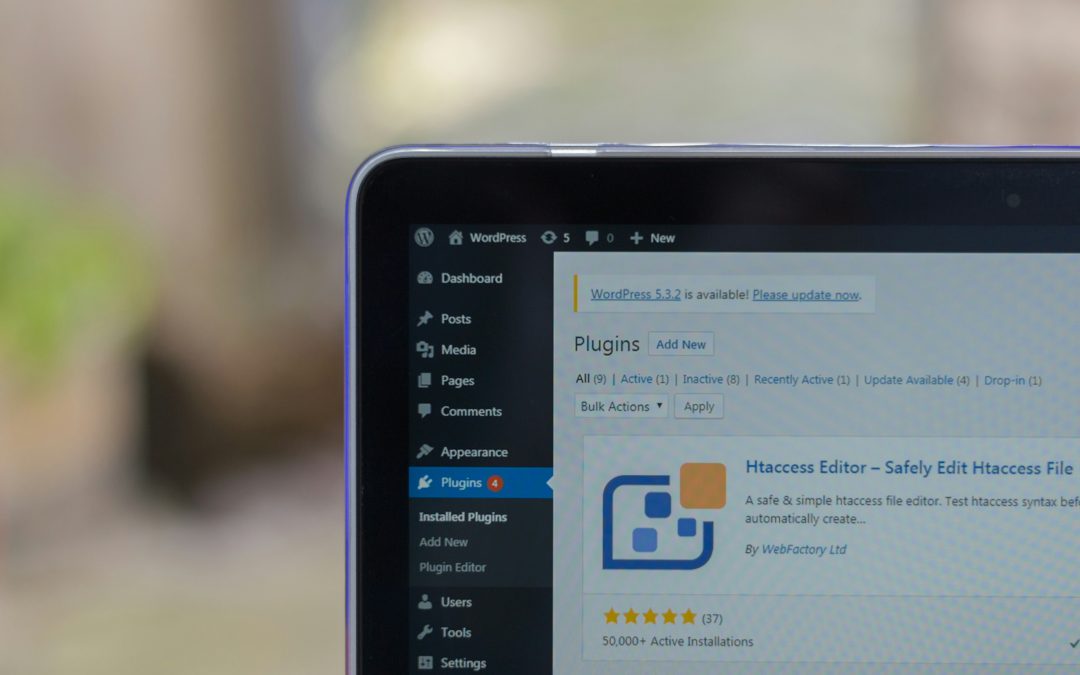
WordPress 7.0, officially named Armstrong, has arrived with a wide range of updates designed to improve editing, design flexibility, navigation, publishing, and overall user experience.
Although much of the early attention surrounding the release has focused on its AI integration, the latest version of WordPress introduces several other important improvements that could significantly change how website owners, developers, and content creators use the platform on a daily basis.
The update brings a cleaner admin experience, stronger design controls, better responsive editing tools, improved security settings, and a more modern workflow throughout the content management system.
For many users, WordPress 7.0 feels less like a routine update and more like a major step forward for the platform.
One of the most noticeable changes is the refreshed admin dashboard. WordPress has introduced a new “Modern” admin theme which gives the backend a more polished and consistent appearance.
The updated interface includes refreshed colours, improved typography, higher-contrast styling, redesigned admin headers, and cleaner navigation throughout the dashboard.
Several sections of the admin area have also been redesigned, including the Customiser, multisite signup screens, colour scheme settings, and user management areas.
The result is a dashboard that feels more streamlined and modern, bringing WordPress closer to the experience users expect from newer publishing platforms.
Another important addition is the introduction of View Transitions inside the admin area. These transitions create smoother movement between supported dashboard screens, making navigation feel more fluid while still respecting reduced-motion accessibility settings.
WordPress has also improved workflow speed with the addition of a Command Palette icon in the top admin bar. Users can now quickly access tools and features using keyboard shortcuts such as Ctrl+K or Command+K, helping make dashboard navigation faster and more efficient.
The Font Library has also received a major upgrade. Fonts can now be uploaded, installed, and managed from a dedicated screen inside the dashboard itself.
This new management system supports block themes, hybrid themes, and classic themes, giving users greater control over typography without relying heavily on third-party plugins.
Another standout feature in WordPress 7.0 is the new Visual Revisions system.
Users can now compare revisions of pages or posts visually through a slider-based comparison tool directly within the editor. This makes it much easier to review changes, spot edits, and restore earlier versions when necessary.
The document inspector also highlights changes with colour indicators and summaries, helping users quickly identify exactly what has been modified.
Mobile navigation has also been given a significant overhaul in this release.
WordPress 7.0 allows website owners to fully customise mobile hamburger menu overlays directly within the Site Editor. Rather than being locked into a fixed design, users can now create custom mobile navigation layouts using blocks and patterns.
This means mobile menus can include unique layouts, extra content, custom styling, and personalised close buttons.
Theme developers can also build pre-designed mobile menu overlays into their themes, making responsive navigation easier for users straight out of the box.
Responsive editing tools have also expanded further into the core editor experience.
Users can now choose whether certain blocks appear on desktop, tablet, or mobile devices without needing custom code or additional plugins.
Visibility settings are clearly displayed inside List View, making it easier to manage device-specific content across pages and posts.
WordPress 7.0 also introduces improved breakpoint controls, allowing users to apply different styles depending on screen size.
This brings responsive design much closer to everyday publishing workflows rather than limiting it to developers alone.
The block editor itself has received several new design-focused additions.
WordPress 7.0 introduces new Heading, Icons, and Breadcrumbs blocks, alongside expanded support for Gallery lightboxes and dynamic URLs inside Navigation Link blocks.
Typography and layout tools have also been expanded significantly.
Users now have access to text indentation controls, multi-column text layouts, width and height adjustments, aspect ratio settings, and dimension presets for images.
These additions give creators much more flexibility when designing pages without needing external page builders.
One of the more powerful additions for advanced users is block-level custom CSS.
Instead of applying CSS changes site-wide, users can now target individual blocks directly from within the editor.
This gives designers and developers more precise control over styling while staying within WordPress’s block-based workflow.
The new Breadcrumbs block is another useful feature for both usability and SEO.
It automatically displays a page’s position within a site’s structure and can be used globally across templates such as headers.
Developers can also customise breadcrumb behaviour using filters, including taxonomy and category controls.
Security improvements are another important part of the WordPress 7.0 release.
The platform now removes Administrator and Editor roles from the default role selector found in General Settings.
This prevents websites from accidentally assigning powerful permissions to newly registered users through a simple configuration mistake.
Site Health tools will also warn administrators if these risky settings had previously been enabled before updating to version 7.0.
Although developers can still modify the behaviour through filters, WordPress now provides safer default settings out of the box.
Originally, WordPress 7.0 had been expected to introduce Phase Four of the WordPress roadmap, including real-time collaboration features.
However, those tools required further development and were ultimately delayed.
Instead, AI integration has become one of the headline features of the release, although many users may find the broader workflow and design improvements equally valuable.
What makes WordPress 7.0 stand out is how cohesive the entire update feels.
Rather than focusing on one major feature alone, the release improves multiple parts of the platform simultaneously, from design and editing to navigation, publishing, and security.
The update creates a more modern and flexible environment for both casual users and professional developers.
For website owners, bloggers, agencies, and publishers, WordPress 7.0 represents a significant evolution of the platform.
The improvements to responsive editing, mobile navigation, visual revisions, typography, and dashboard usability all contribute to a smoother publishing experience overall.
While AI features may continue to dominate conversations around the release, the deeper strength of WordPress 7.0 lies in how it modernises the entire content management system beneath the surface.
For many users, Armstrong may prove to be one of the most important WordPress releases in recent years.
More Digital Marketing BLOGS here:
Local SEO 2024 – How To Get More Local Business Calls
3 Strategies To Grow Your Business
Is Google Effective for Lead Generation?
How To Get More Customers On Facebook Without Spending Money
How Do I Get Clients Fast On Facebook?
How Do You Use Retargeting In Marketing?
How To Get Clients From Facebook Groups